12
How To Create and Use Worship Video Loops, Mini Movies and Sermon Videos
13 Comments · Posted by admin in How-To Church Media

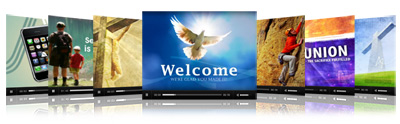
Sharefaith is the premier provider of Christian mini movies, sermon videos, worship video backgrounds loops and church video announcements.
How to Download: Once you select your desired worship background slide you will see four download options: 1) MPEG4, 2) MPEG, 3) MVW and 4) M4V. All videos are 720 x 480, 30 fps. Simply chose your desired video format, download to your desktop/ hard drive. You may then use the video with your desired media software.
Quality: All videos are 720 x 480, 30 fps, ultra-crisp, and presented in full screen format.
Which format should I choose? If you are using a Mac computer with QuickTime, then MPEG4 or MPEG1 are the best options. If you are using a PC, WMV is your best option, although MPEG1 is also compatible with Windows Media Player. M4V is a mobile video version, providing you with the option of transferring the video to your mobile device.
Compatibility: Our videos are compatible with all leading presentation and church media software, including Keynote, ProPresenter, Media Shout, Easy Worship, SSP, and more. If you do not have any of these programs, you can simply download the video and play it using whatever standard media player you do have.
Video file size: For projection purposes, we ensure that each video meets the highest standard and is of superior image quality. This means that the video file sizes will be larger than normal PowerPoint presentations, bulletins, or other images. If you do not have a fast Internet connection, please be aware that downloading the videos will take some time.
When to use: Churches use our Worship Intro Videos such as welcome video loops and special event announcement videos before the start of the service. Many churches use the videos for a specific event such as communion, baptism, or an offering collection. Our worship video background loops are best used during the worship service, as a backdrop on which song lyrics are displayed. The church/sermon videos are mini movies with a message. These are best used at the beginning or end of the sermon or service as an enhancement to the message. These church music videos usually celebrate a special event or deliver a specific message. Thus, they can serve as a stand-alone mini sermon.
How to edit the videos: To add text to our worship video backgrounds or to create your own unique video, you can use our any video editing software such as Adobe After Effects, Sony Vegas Studio, Final Cut Pro, Cyberlink Power Director, Corel Video Studio, Adobe Premier, Magic Movie Edit Pro, or Pinnacle Studio.
Using our video on your church website: You can use any of Sharefaith’s videos on your church website. Using the above video editing software, you will have to recompress the video files to shrink their overall size, and then encode them with any of the various available web video players. Since it is not permitted to upload our videos to YouTube, Vimeo or any other online video platform, you may not do so even in order to create an embedded version of the video for use on your website.
Sharefaith is the largest online provider of church video, christian video, worship loops, worship backgrounds, mini movies and inspirational sermon videos: View our collection now!
christian video · mini movies · sermon video · worship video loops


Corazon Taylor · June 6, 2010 at 1:35 pm
I ‘m trying to download but when I play there’s NO SOUNDS AT ALL. I SAVE IT TO MY USB BUT WHEN I PLAY THERS nO SOUNDS, WHY? I JUST PAID MY MEMBERSHIP LAST 06/06 PLEASE HELP ME TO LOAD WITH SOUNDS.
May be I don’t know how to load.
C. Taylor
Admin comment by admin · June 7, 2010 at 4:38 pm
Dear Corazon,
Only our Church Videos has sound. The worship backgrounds and video loops does not contain any sound. Make sure the video player you use to view the video on your computer has its volume enabled. Also check your sound settings in your operating system to make sure all is functioning properly. We thoroughly test our videos to make sure it functions right before releasing it to our members so this isolated issue appears to be on your end. Please try the recommendations above and let us know if it work out! We would be more than willing to help you with further assistance.
Blessings
Sharefaith Team
Arnel · June 13, 2010 at 11:32 am
How can I edit the video loop or put some text on the video? Where can I get the software for editing? Thank You. GOD bless you.
Admin comment by admin · June 14, 2010 at 4:23 pm
Hi Arnel,
We just did a post on the brand new Office 2010 where PowerPoint 2010 was redesigned to give you editing capabilities on video and the option to place text over video. You can download a free BETA version of Office 2010 to test it out. It is fully functional and will work until end of October.
http://www.sharefaithblog.com/2010/06/good-news-church-media-videos-microsoft-powerpoint-2010/
If you do not want to use that you can use worship software programs like Easy Worship, Propresenter, Media Shout etc. All of these will give you the ability to put text over video. To edit the actual videos you will need video editing software like Adobe After Effects, Final Cut Pro, Sony Vegas Studio, Adobe Premier. Of these Sony Vegas is the least expensive. In the end, the beauty of Sharefaith is, that we do the work for you. If you want new next, you simply download the Worship Background Video Loops and use PowerPoint 2010 or one of the Worship software packages to place text on the video.
Sebastian · June 18, 2010 at 8:46 pm
Hi! I would use this videos just like it is, but they are in english, and our church speak spanish….Im interested in editing this videos because of this… is anything I can do about it?
Admin comment by admin · June 21, 2010 at 5:07 pm
Sebastian,
Watch our blog in the coming weeks. We will be writing an article dedicate to just that. Hopefully all your questions will be answered there.
In Jesus
Sharefaith Team
totomix · June 20, 2010 at 3:46 pm
Great info, thanks for useful article. I am waiting for more
Bee · July 19, 2010 at 4:15 pm
Hi,
I remember seeing a video of a son who was showing note cards with various words on them to his father in prison and in the end he wrote that he forgives his father. Do you know where the video went?
Thank you,
Bee
Admin comment by admin · July 19, 2010 at 5:17 pm
Hello Bee,
That is unfortunately not a video that was created on or for Sharefaith. It might have been with another Christian Media outlet.
Blessings
Sharefaith Team
Brenda · July 27, 2010 at 7:43 am
how do a get a video placed in powerpoint? Thanks
Admin comment by admin · July 27, 2010 at 4:06 pm
Hi Brenda,
You can only use video with the latest version of MS PowerPoint ( PowerPoint 2010). Microsoft has only now introduced video capabilities for PowerPoint. We wrote an article about it. Click the link and you can get more information regarding this matter. http://www.sharefaithblog.com/2010/06/good-news-church-media-videos-microsoft-powerpoint-2010/
Blessings
Sharefaith Team
Darren · August 7, 2010 at 11:33 am
How do you put lyrics over the top of the video backgrounds on powerpoint?
Thanks
Admin comment by admin · August 9, 2010 at 1:39 pm
Right now, the only version of PowerPoint that allows you to do any video stuff is the newest version — Office 2010. Check out this article for more info.